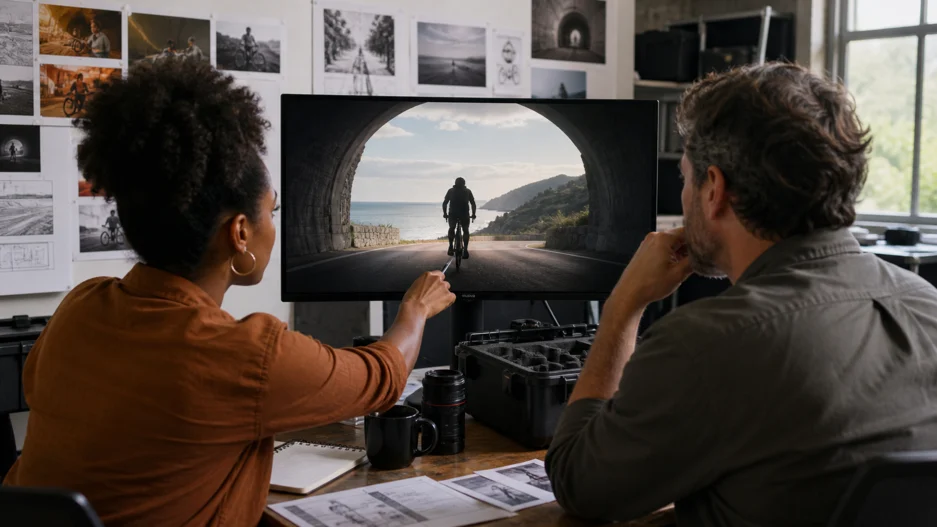
Creative pitches often fail in the gap between what a team imagines and what a client can see. A treatment may describe “a quiet, dreamlike reveal,” while a mood board contains a misty forest, a chrome product, and a portrait lit in blue. Each reference is attractive, but no one knows how they connect over time.
Previsualization closes that gap. Film crews have long used storyboards, animatics, rough edits, and 3D blocking to test a sequence before production. AI video adds another option: a moving sketch that communicates pacing, camera direction, atmosphere, and transitions without pretending to be the final advertisement or film.
The most useful shift is not simply faster rendering. A model that can produce a continuous 30-second video gives a team enough time to evaluate an entire scene rather than a collection of disconnected shots. The Seedance 2.5 video generator offers free access for early testing and supports genuine generations of up to 30 seconds, making it practical to move from a static treatment to a watchable proof of concept.
Previsualization Is a Question, Not a Deliverable
A good previs has a specific job. It may test whether a reveal happens too early, whether a camera path is understandable, or whether a character can cross a location within the available runtime. It does not need final typography, perfect hands, or production-ready product details unless those elements are the question being tested.
Teams waste time when they ask one rough video to answer everything. They debate color grading while the basic action remains unclear. They reject a useful camera test because a background prop changed shape. Before generating anything, write the decision the video should help make:
- Can this concept communicate the product benefit without narration?
- Does the transition from the real world to the imagined world feel motivated?
- Is 30 seconds enough for the emotional turn?
- Which camera direction makes the space feel larger?
- Do the references belong to one visual world?
The narrower the question, the more useful the output.
Turn a Mood Board into Production Information
A mood board usually mixes several types of evidence. Separate them before uploading references.
Identity references define what must remain recognizable: a person, product, costume, vehicle, or distinctive prop. Choose clean images with visible shape and material details.
Environment references define architecture, geography, time of day, and scale. One coherent location is more valuable than five attractive places that contradict one another.
Motion references show behavior that is difficult to explain in adjectives: the weight of fabric, the rhythm of a dance, the acceleration of a camera, or the way liquid moves across a surface.
Sound references establish tempo and emotional timing. Even a rough beat can help a team discuss when a turn or reveal should occur.
Seedance 2.5 can use image, video, audio, and text references together. That does not mean every project needs dozens of files. Start with the minimum set that answers the previs question. Additional references can improve control, but they can also introduce competing signals.
Write a Director’s Prompt
A director’s prompt describes relationships in time and space. It goes beyond a visual style label.
Start with the scene’s objective: “A cyclist discovers that the abandoned tunnel opens into a sunlit coastal road.” Then specify the subject and starting composition. Add the key action in chronological order. Define one camera idea, such as following behind the cyclist before moving alongside during the reveal. End with the intended final frame.
The sequence might read:
Begin behind a lone cyclist entering a dim concrete tunnel. The camera follows at a steady distance as reflections pass over the wet walls. Halfway through, warm light grows ahead and the cyclist accelerates. The camera moves smoothly to the side as they exit onto a bright coastal road, ending in a wide view of the sea.
This prompt is useful because the production team can challenge it. Is the side move physically possible? Should the warm light appear earlier? Does the wide ending leave room for a product? A vague request for “an epic cinematic cycling commercial” cannot support the same conversation.
Use 30 Seconds to Test Continuity
Longer previs exposes problems that a beautiful five-second clip can hide. A character must remain readable as the angle changes. The geography of a room has to make sense. Light should evolve rather than jump. The camera must arrive somewhere, not just move.
This makes a 30-second generation valuable even if the final campaign will use several edited shots. The continuous version acts like a rehearsal. An editor can identify natural cut points. A cinematographer can see where a move becomes repetitive. A producer can spot a concept that requires more locations or effects than the budget allows.
There is also a practical testing strategy. Use the platform’s free option to validate the core look and first action at a short duration. If the subject, environment, or camera direction is wrong, revise those variables before attempting the full sequence. This is closer to sketching several thumbnails before painting a large canvas.
Label What Is Real and What Is Proposed
AI previs becomes risky when stakeholders mistake it for a production guarantee. A generated reflection, impossible lens move, or fluid transformation may not translate directly to a live shoot. Present the video with a short note explaining what it is meant to demonstrate and which elements remain exploratory.
For example: “This previs tests the pacing of the reveal and the warm-to-cool lighting transition. Product proportions and background architecture are placeholders.” That sentence keeps the conversation focused and prevents a client from approving an accidental detail that cannot be reproduced.
The same principle applies to rights and identity. Use approved brand materials and reference media. Do not upload a performer’s likeness or copyrighted footage without permission simply because the output is an internal draft.
Build a Reviewable Iteration Loop
Name versions by the question they test, not by “final,” “final-two,” and “final-revised.” A small team might create:
- camera-follow-test
- earlier-light-reveal
- slower-product-hold
Change one major variable at a time. If the prompt, reference set, duration, and aspect ratio all change together, no one knows why the result improved. Keep a brief generation log with the prompt, inputs, settings, and one sentence about what the team learned.
The inspiration gallery on Seedance3.tools can also be used as a visual vocabulary rather than a catalog to imitate. Study how an example handles subject movement, camera distance, or transformation, then translate that principle into the needs of the pitch.
The Value Is the Conversation
Previsualization earns its place when it helps a team make a decision earlier. A rough 30-second video can reveal that a concept needs a simpler location, a stronger opening, or a more achievable camera path before money is committed to production.
The output does not have to fool anyone into believing the project is finished. It has to make an invisible idea concrete enough to discuss. Used that way, AI video is not a replacement for directors, designers, editors, or cinematographers. It is a shared sketchbook that moves—and a better bridge from inspiration to execution.