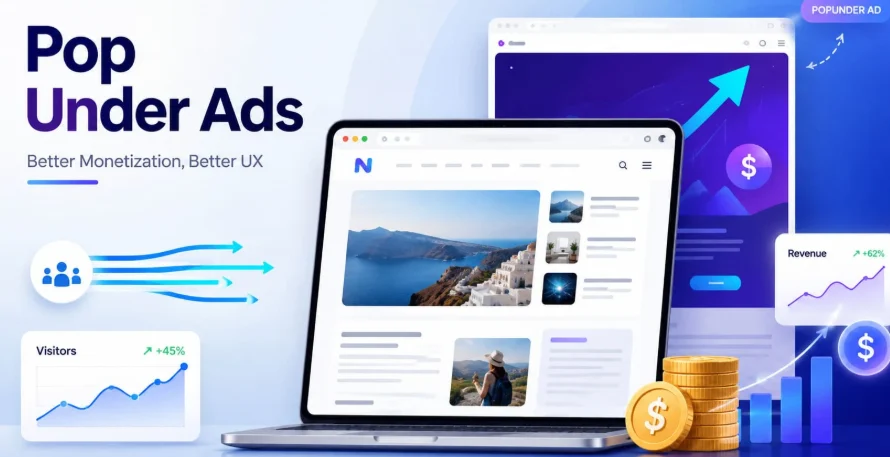
Most monetization formats ask publishers to make a trade-off. Banner ads require visible real estate that competes with editorial content. Interstitials interrupt the user journey mid-session. Sponsored content demands editorial resources to produce. Each format adds revenue on one side of the ledger and costs something on the other — user experience, page speed, audience trust, or editorial independence.
Pop under ads are the exception to that trade-off structure. They generate revenue from every visit without placing anything on the page the user came to see. No visible ad slot, no layout adjustment, no interruption to the reading or browsing experience. For publishers who have spent time optimizing their content experience and don’t want to compromise it for monetization, popunder is the format worth understanding in detail.
What Pop Under Ads Actually Do on a Publisher’s Page
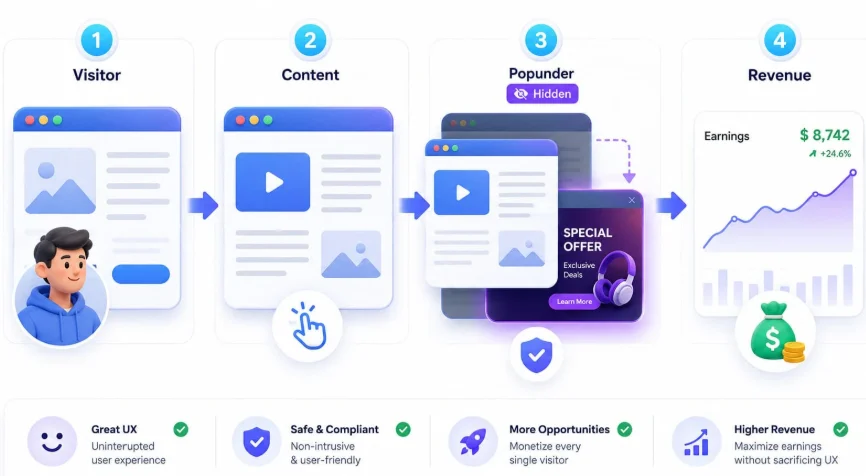
When a visitor arrives on a page running pop under ads, a new browser window or tab loads silently in the background at the moment of the first user interaction with the page — a click, a scroll, or a tap on mobile. The visitor doesn’t see it. The page they came for remains exactly as it was. The popunder window loads behind everything else and waits.
When the visitor finishes their session and closes or minimizes the active window, the popunder surfaces. By that point, the user has completed whatever brought them to your site. They’re in a natural transition moment — between tasks, not mid-task. The ad gets their attention at the moment they’re most available to give it, rather than forcing itself into an existing context.
The implementation is a small JavaScript snippet added to the page. Once it’s placed, every qualifying visit triggers a popunder impression automatically. There’s nothing to manage on a per-visit basis, no creative to refresh, no placement to monitor. The monetization runs in the background while your content does what it was built to do.
Why Popunder Is Genuinely Different From Other High-CPM Formats
Publishers who haven’t run popunder before often group it mentally with interstitials or aggressive overlay formats — formats that do damage user experience in exchange for high visibility. The grouping is understandable but inaccurate.
An interstitial forces the user to wait. A pop-up covers the content they came for. An exit overlay fires at the moment the user is trying to leave. Each of these creates friction at a point in the user journey where friction is most costly to your audience relationship.
A popunder creates no friction at any point in the user journey on your site. The ad doesn’t compete with your content for the user’s attention. It doesn’t appear until after the session is over. Users who have a positive experience on your page — who read what they came to read, watched what they came to watch, found what they came to find — are in a receptive state when the popunder surfaces. That’s a meaningfully different attentional context than being interrupted mid-task.
The practical consequence for publishers is that popunder monetization doesn’t erode the metrics that matter for long-term audience health. Session duration, pages per visit, return visit rate, and content engagement scores remain stable when popunder is implemented correctly. Publishers who switch from interstitial or heavy overlay monetization to popunder typically see these metrics recover within a few weeks, while revenue remains comparable or improves due to the higher delivery rates popunder achieves relative to formats that browsers actively block.
Which Traffic Types Qualify
One of the more useful characteristics of popunder monetization is the breadth of traffic types it accepts. Unlike some formats that require specific technical integrations or minimum traffic thresholds per source, popunder works across a wide range of publisher contexts.
Web traffic is the primary use case — any site with a JavaScript snippet installed can run popunder ads. Content sites, tools, utilities, forums, entertainment platforms, and directories all qualify regardless of niche.
Mobile web traffic is fully supported. Popunders on mobile open a background tab rather than a window, and the behavior on smartphones and tablets mirrors the desktop experience in terms of UX impact. Mobile traffic often commands strong CPMs in verticals like app installs and gaming, making it particularly valuable for publishers with high mobile audience share.
Traffic without a traditional website can be monetized through Smartlink rather than a JavaScript tag — relevant for publishers who drive traffic through social channels, Telegram, email newsletters, or other non-web contexts. The Smartlink routes each visitor to the best-performing offer for their profile and functions as a popunder-equivalent revenue tool for non-web publishers.
What matters most to the quality of popunder monetization is not the source of the traffic but the authenticity of it. Genuine human visitors in real GEOs generate qualifying impressions. Bot traffic, artificially inflated visit counts, and incentivized clicks do not — and attempting to pass them through will result in account termination on any reputable network.
CPM Rates: What Determines Your Earnings
Popunder CPMs are determined by a combination of factors, and understanding them helps publishers set realistic expectations and identify where their traffic is most valuable.
Geography is the single largest driver of CPM variation. Tier 1 GEOs — United States, United Kingdom, Canada, Australia, Germany, and a handful of others — command significantly higher CPMs than Tier 2 or Tier 3 markets. This reflects advertiser demand: more advertisers are competing for impressions in those markets, which drives up the price. Publishers with high Tier 1 traffic concentrations will consistently earn more per thousand impressions than those with predominantly Tier 3 audiences.
Device type affects CPM in ways that vary by vertical. For some offer categories — particularly mobile app installs and mobile gaming — smartphone traffic commands a premium over desktop. For others, desktop traffic is more valuable. Publishers benefit from understanding their device split and checking which device type is generating the stronger CPMs in their account reporting.
Vertical alignment between the publisher’s content and the advertiser demand on the network affects how well the AI-driven ad rotation can match offers to your audience. A gaming site with high mobile traffic in Tier 1 GEOs sits in the sweet spot of popunder advertiser demand. A niche B2B tool with primarily desktop US traffic will also monetize well, though through different offer categories. The key is having genuine traffic that fits recognizable demand categories rather than miscellaneous traffic with no clear audience profile.
Frequency capping set at the network level affects how many impressions each unique visitor generates. Standard practice is one popunder per user per 24-hour period. Publishers don’t control this parameter directly, but it’s worth understanding because it means your daily impression count will be lower than your raw visit count — each unique visitor generates one qualifying impression per day, not one per page view.
Implementation: What the Setup Actually Looks Like
Getting popunder ads running on a site is a straightforward technical process. The core steps are the same across most networks:
Register and get approved. Most networks review new publisher applications to verify that the traffic source is legitimate. Approval timelines vary — some networks approve within hours, others within a business day or two. Having a live site or a real traffic source ready before applying speeds up the process.
Receive your ad tag. After approval, you’ll receive a JavaScript snippet specific to your publisher account. This is the code that detects user interactions and triggers the popunder on qualifying visits.
Place the tag on your site. The snippet goes in the page source — typically in the head or body section, or through a tag manager if you’re using one. For WordPress sites, a simple plugin or the theme’s header injection field is usually sufficient. The tag needs to be present on every page you want to monetize, not just the homepage.
Verify delivery. After placing the tag, visit your site from a non-signed-in browser and trigger the popunder by clicking somewhere on the page. Confirm that a background window opens. Check your publisher dashboard within a few hours to confirm that impressions are registering.
That’s the complete technical implementation. There’s no ongoing management required once the tag is live. The network’s AI rotation handles offer selection and optimization automatically.
Maximizing Revenue Without Compromising the Audience
The ceiling on popunder revenue for a given publisher is largely determined by traffic volume and GEO quality — factors that improving your content and SEO address more effectively than anything on the monetization side. But there are a few practices that consistently produce better results without touching user experience.
Combine formats strategically. Popunder monetizes every visit passively. Native ad placements on the same site can generate additional revenue from the subset of users who actively engage with content recommendations. The two formats don’t compete for the same attention — popunder works in the background, native works in the content stream — so running both increases total revenue per visitor without adding UX friction.
Build push subscriber lists alongside popunder. Publishers who collect push notification subscribers create a monetizable asset that runs independently of ongoing traffic. Popunder earns from traffic as it arrives; push subscribers can be reached on any device at any time. The combination produces more stable revenue that’s less sensitive to short-term traffic fluctuations.
Monitor your audience metrics after implementation. If you see a significant drop in session duration, return visit rate, or pages per visit after adding popunder, investigate the specific implementation. A correctly placed popunder tag with standard frequency capping should not produce measurable changes in these metrics. Unusual drops often indicate a configuration issue or a conflict with another script on the page rather than an inherent problem with the format.
Final Thoughts
Pop under ads for publishers offer something that most monetization formats don’t: revenue from every visitor with no impact on the experience that brought them to your site in the first place. The format is technically simple to implement, requires no ongoing management, and scales directly with traffic growth without any additional configuration.
For publishers who have built an audience they care about and don’t want to compromise it for short-term revenue, popunder is the format to reach for first. The trade-off between monetization and user experience that defines most other formats simply doesn’t exist here — which makes it unusual, and worth taking seriously.
Also read: Banner Ad Sizes: 8 Most Popular Formats in 2026 Explained